
Take notes for a group meeting and send the group a summary
For coaches and other professionals who lead a group. Mark who came, write one summary for the group with a line just for one person where it helps, send it to the people who were there, and see how co-leads each send to their own clients.
A group meeting gets one page, just like a meeting with one client. On one side are your own notes, which only you see. On the other is one summary for everyone who came: what you agreed and what you talked about. Each person gets their own copy, and nobody sees who else got it. In this guide the coach is Morgan, who leads the Essay group with Casey as co-lead. Avery, Jordan and Taylor are Morgan's clients in the group, and Riley is Casey's. Each lead sees only their own clients in it, so Morgan's page lists three people and Casey's lists Riley.
How notes and summaries work for one client is in Take meeting notes and send a summary. This page covers what's different for a group.
1. Start notes for the group
Open the group on Clients and choose Group meeting notes. The group's page lists its earlier meetings under "Group meetings". Only the group's leads can write its notes, and at least one member needs to share their plans with you.
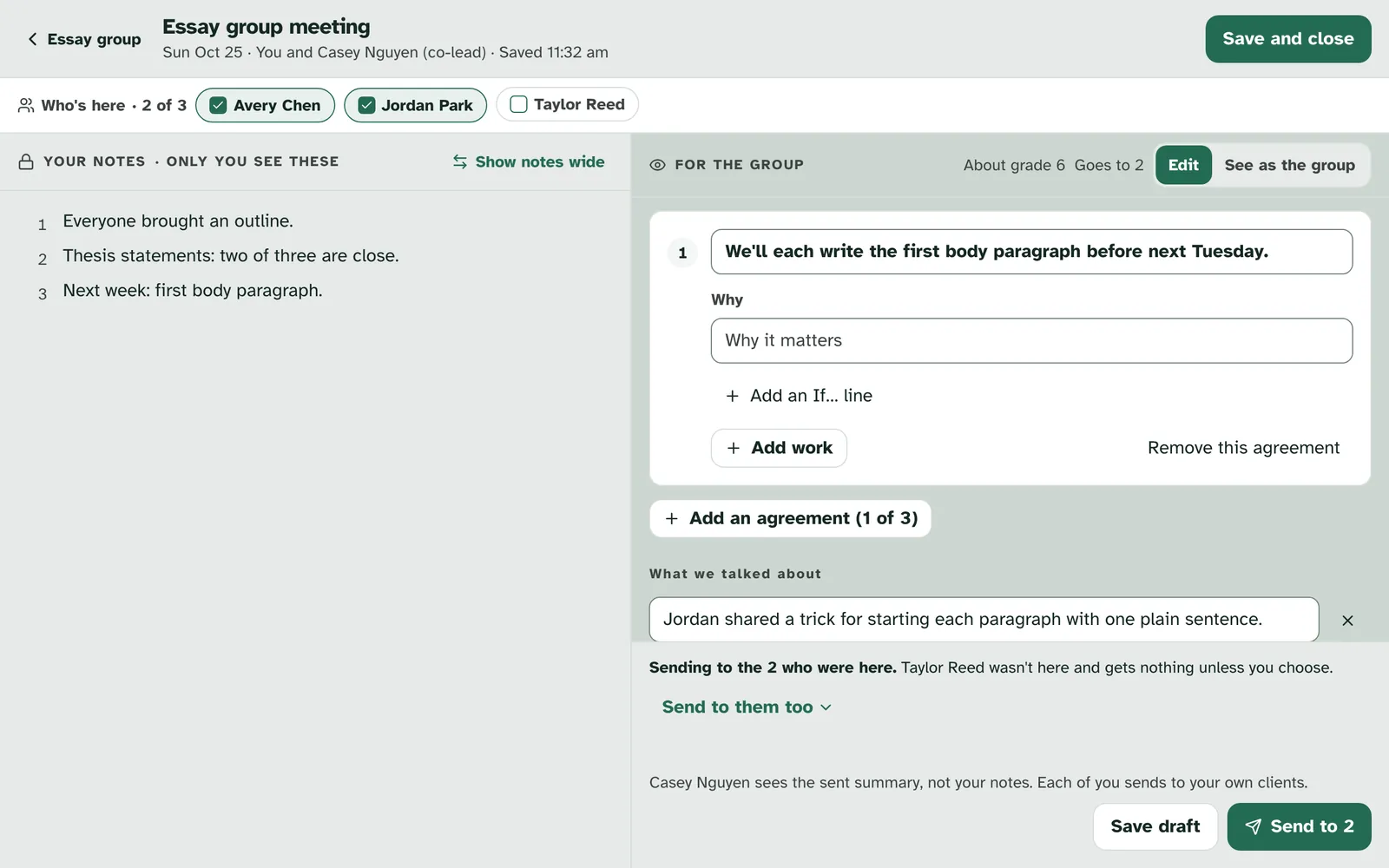
A group meeting, from Who's here to Send.
2. Who's here
Everyone starts as here. "Who's here" at the top has a chip for each member, ticked, with a count such as "2 of 3". Tap anyone who couldn't come to untick them. Only the people marked here get the summary, unless you choose otherwise when you send.
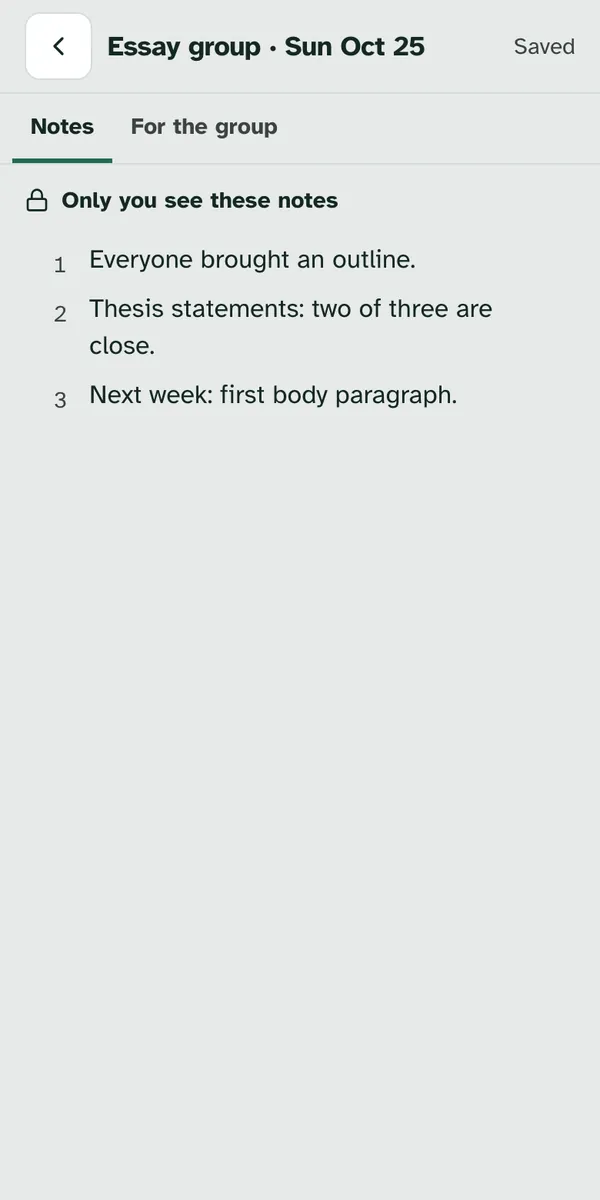
3. Your notes and For the group
Your notes stay yours. The left side works as it does for one client: short lines, saved as you go, never sent. Your co-leads don't see them either.
For the group is the summary everyone gets. Write what you agreed and what you talked about, as you would for one client. "Goes to" and a number tell you how many people it will reach. See as the group shows it the way members will read it. If you met before, Last time shows how the work went across the group, such as "Done by 2 of 3", and See who lists the names.
Specthrive points out a line that would reach everyone. If a line names someone in the group, or has a phone number, an email address or a street address, a note appears under it, such as "This line names Jordan." and who it goes to. It doesn't stop you. You choose what to do:
| Choice | What happens |
|---|---|
| Move to Jordan's own line | The line becomes a line just for Jordan, and only Jordan sees it. |
| Remove it | The line comes out of the summary. |
| Keep anyway | The line stays where it is, for the whole group. |
If any of these are still open when you press Send, Send stops once so you can look. Press it again to send it as it is.
Add a line just for one person. Add a line just for one person lets you pick a member and write something only they see, such as a word of encouragement. Their copy shows it under "Just for you". A line for someone who isn't getting the summary isn't sent.
4. Send
The foot says who it goes to. It reads "Sending to the 2 who were here." Anyone marked away is named, with "Taylor wasn't here and gets nothing unless you choose." Send to them too lets you pick people who weren't there and send it to them as well.
Press Send to 2. Each person gets their own copy on Home and in their Meetings, with a notification and an email that, like for one client, don't include anything from the summary. What you agreed becomes each person's own work. A group meeting can't be linked to a screening case.
Someone who shares plans with you as view only gets the summary without the work. They read what you agreed and talked about, but the work and any new dates don't go to them. Everyone else gets it all. When the summary had work or a new date for them, the sent summary names them, for example "Jordan got the summary only: they share plans with you as view only, so the work and new dates didn't go to them."
5. After sending
Each person's answer shows under their name. Under "Their answers", each person you sent to has a row with their reply, their Got it, or "No answer yet". Your lines for one person are listed under "Lines just for one person".
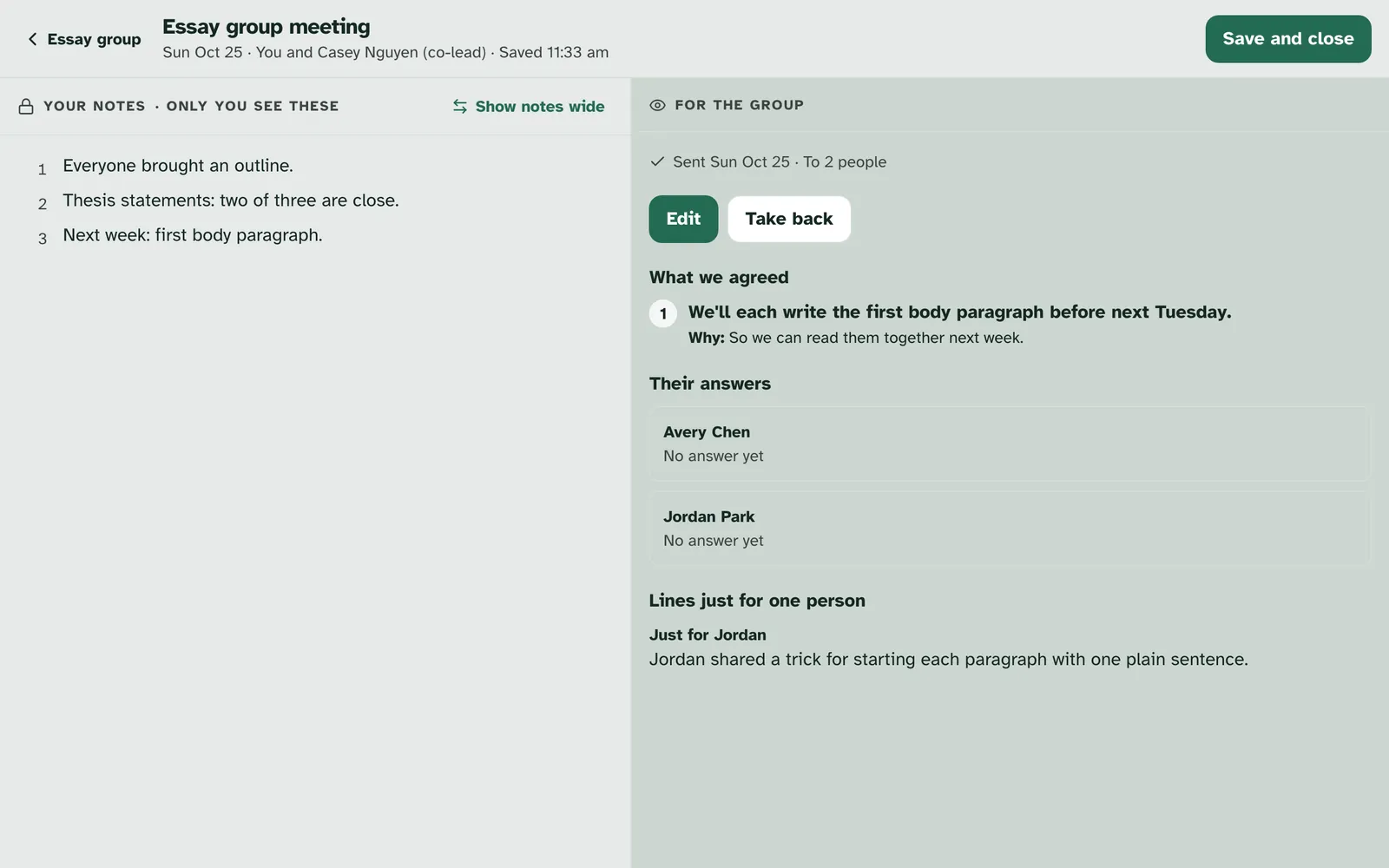
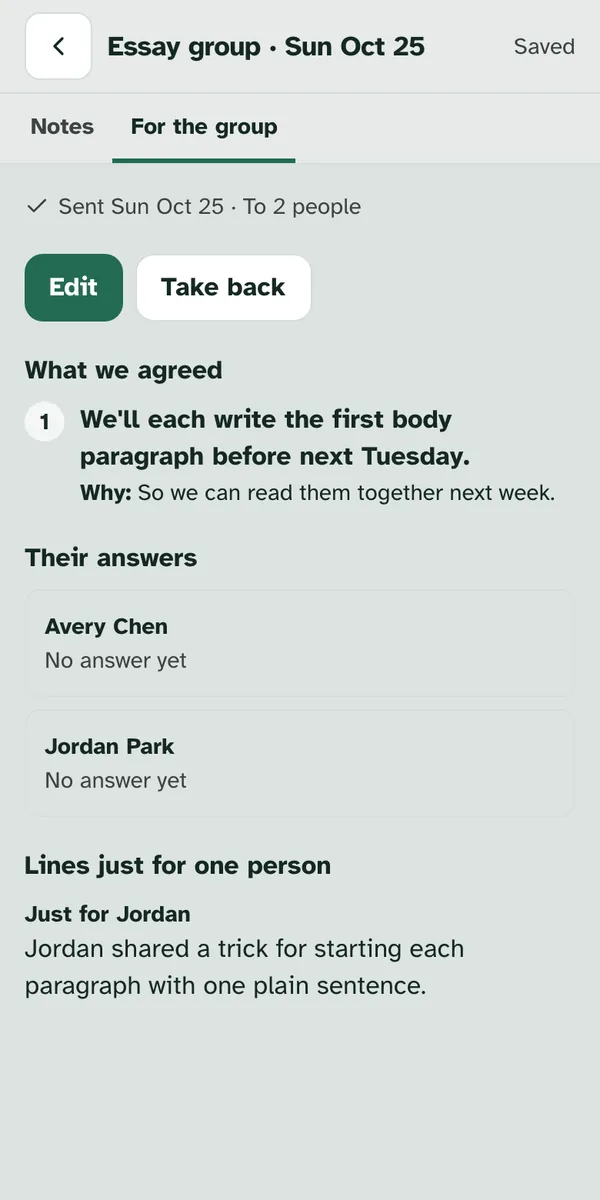
Edit and Take back work as they do for one client. To take it back from everyone you sent it to, choose Take back: "Tasks not done yet come off each member's list. Done ones stay." See Change or take back a summary.
6. Co-leads
Each lead sends to their own clients. If the group has a co-lead, the foot of your page tells you that they see the sent summary, not your notes. Once you send, the meeting shows in your co-lead's group under "Group meetings", as "From Morgan" with "Not sent to your clients yet".
Your co-lead picks who gets it from their own clients. Casey opens the meeting and sees what Morgan sent, never Morgan's notes. Casey's page lists only Casey's own clients in the group, here just Riley, with "Tick each one. Only those you tick get it." Casey ticks each one who came and can add a line just for any of them. The words Morgan wrote stay as they are. Casey then sends, and only the clients Casey ticked get a copy.
Casey sends Morgan's summary to Casey's own client.
Each lead's sends stay their own. A client's reply goes to the lead who sent them their copy, and each lead sees only their own clients' answers. If Morgan takes the summary back, the copies Casey sent stay with Casey's clients until Casey takes them back too, and Casey can't send it after that. A summary that includes a tracker Morgan made can only be sent by Morgan.
What members see
Members read a group summary like any other. It shows on Home as "From your Essay group meeting", with the leads' first names, and stays in their Meetings, where a chip for the group sits beside the names of the people they work with. They see what the group agreed, what you talked about and any line just for them. They never see who else was there, who else got it, or anyone else's line. A parent or guardian a teen shares with sees the same, without the teen's replies. See Read your meeting summaries.
Getting help
If something on this page doesn't match what you see, or you're stuck, contact us and we'll help.
Still have a question?
If this guide did not cover your situation, reach out. We read every message.