
Working with a coach or therapist
Coaches and therapists are invited to a single profile with permissions you choose, never into your family workspace.
Coaches, therapists, BCBAs, and other professionals are invited a different way than family. They are never workspace members. They are invited to one profile, with permissions you choose.
This guide explains why that split exists and how to invite a professional.
Why a coach is never a workspace member
A workspace member sees every profile in the workspace and can contribute to all of them. That is the right model for a co-parent or a grandparent who helps with the whole family.
A professional usually works with more than one family. If a coach were a member of one family's workspace, they would see that family's other profiles, and joining a second family's workspace would mix the two. To keep every family's information separate, professionals are kept out of workspaces entirely. They get access to exactly one profile, scoped to exactly what you grant.
This is a privacy boundary, not a limitation. It is what lets the same coach work with many families on Specthrive without any family ever seeing another.
How to invite a professional
You invite a professional from the profile they will work with, not from the family settings page.
Only the people who manage a profile can invite, change or remove its care team. That's the person who manages it, or an Owner or Admin of the workspace it belongs to. If the profile is your own, you can too, even when someone else manages it, except that inviting people is for a parent or guardian while you're under 18. Anyone else the profile is shared with, coaches included, can see who's on the team but can't add anyone, or change or remove anyone else. That holds for a coach who set up a client's profile too, before and after the client takes it over: their invites go through their own client list instead.
- Open the profile you want to share.
- Open its sharing or care team section.
- Enter the professional's email address.
- Choose what they can see. Access is granted per area: plans, timeline, trackers, documents, calendar, activity feed, and messages. Grant only the areas relevant to the work. A speech therapist might get trackers and plans but not documents or messages.
- Send the invitation. They get a one-time link and join only that profile, with only the areas you selected.
What the professional sees
A professional sees the one profile you invited them to, and within it, only the areas you granted. They do not see your other profiles, your workspace, your family members, or any other family they work with on Specthrive.
The timeline keeps to the areas you share. If you share the timeline but not plans, it still shows that plan work happened, and when, but not what it was called. They see "Task completed" or "Goal completed", never the task or goal itself, and never a note you wrote when finishing a task.
The calendar keeps to the areas you share too. If you share the calendar but not plans, anything on it that comes from a plan, such as a task or a goal deadline, stays private. On their calendar, each day says only how many private things it holds, like "2 private items", never what they are. Share plans as well if you want them to see what each item is.
Read only or Can edit. You also choose what they can do in the areas you share. A coach or therapist starts at Can edit: "Can view and make changes within what you've enabled." Read only reads "Can view what you've enabled and add their own plans. They can't change or complete yours." Adding plans only applies when plans is one of the areas you share. Anything they add is marked Added by and their name, so you can always tell what came from them.
You can change what they can see at any time, from the same place you invited them.
Removing a professional, and adding them back
Removing someone asks first. Choose Remove access in a professional's row on the profile's care team, and the window asks "Remove <name> from <profile>'s team?" It says: "They'll stop seeing <profile>'s records straight away. Everything stays with you. They'll move to Worked with before, so you can add them back later." Keep them leaves everything as it was, and Remove removes them. (Family and friends on the team still get the older Revoke Access window.) If the profile is yours but someone else manages it, you can remove a professional, but not the person who manages it or anyone in their workspace.
Their open invites end too. When you remove a professional, any invite they sent on this profile that hasn't been accepted yet is withdrawn, so its link stops working. That includes an invite they sent someone else to join the team. If you still want that person on the team, invite them yourself.
If a profile is shared with you, you can leave its care team yourself. On the profile's care team, your own row is marked You. Its … menu has Leave this care team, which asks first: "Leave this care team?" and "You'll lose access immediately. The profile manager can re-invite you later." The second line is the same one you'd see leaving from Settings → My access. Choose Leave, or Cancel to stay. Once you've left, the window closes and the profile drops out of your switcher. The people who manage the profile, and the person whose profile it is, don't see a row of their own there, so there is nothing for them to leave.
People you've stopped working with move to Worked with before. It sits under your care team and lists each professional who worked with this profile and can't see it now, newest first. Each row says when that started, for example "Can't see anything since Sep 25", or "Can't see anything as of today". That holds whether you removed them, they ended the work, or they left. We don't send you a message when a professional ends or leaves. They just show up here. With nobody there, the section doesn't show.
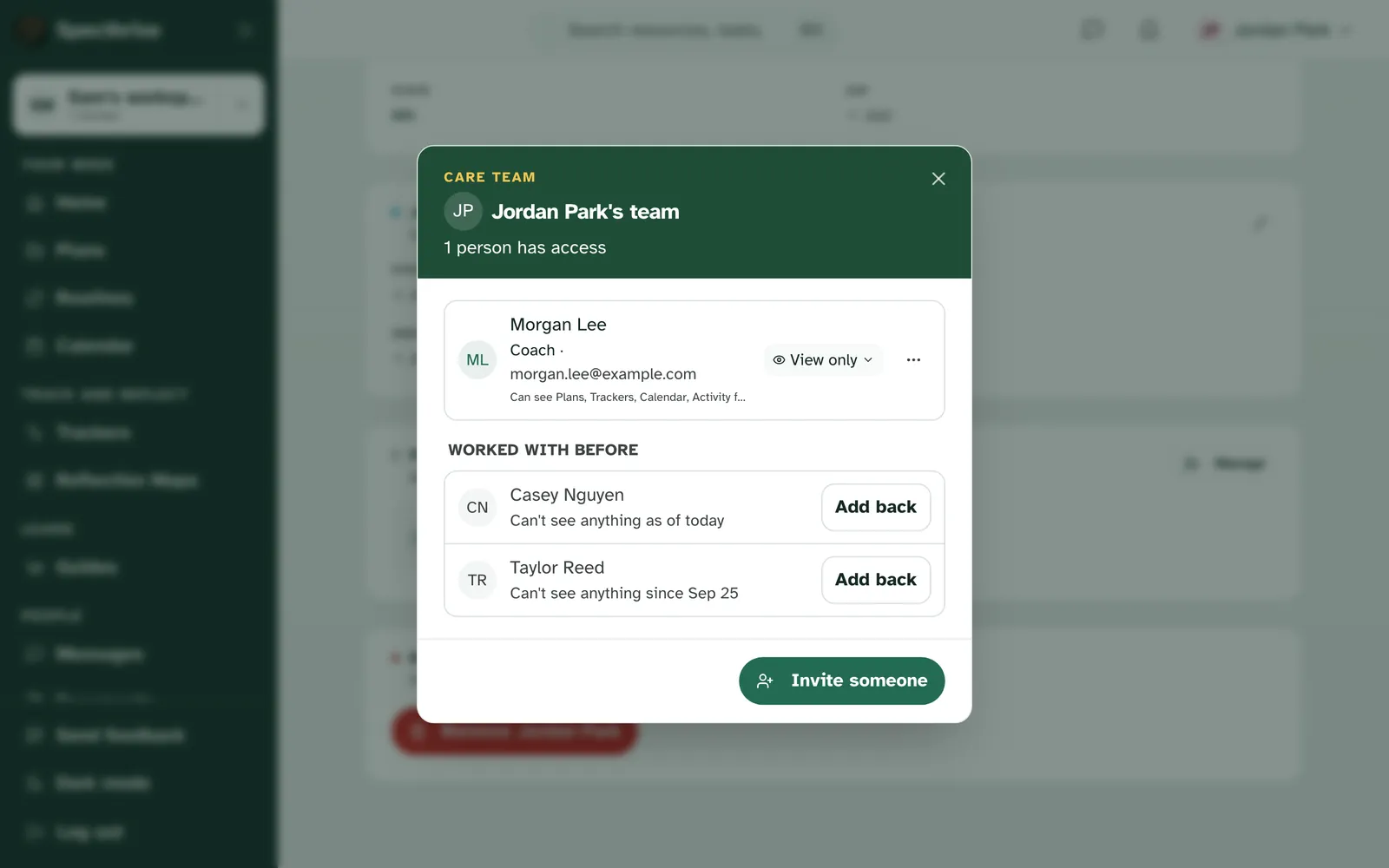
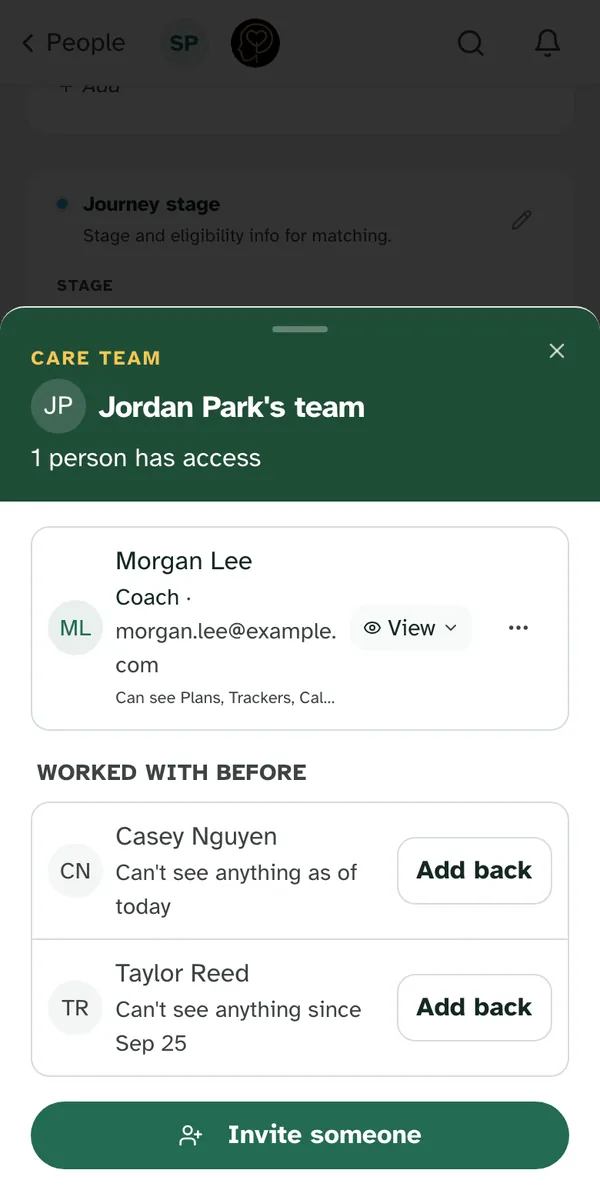
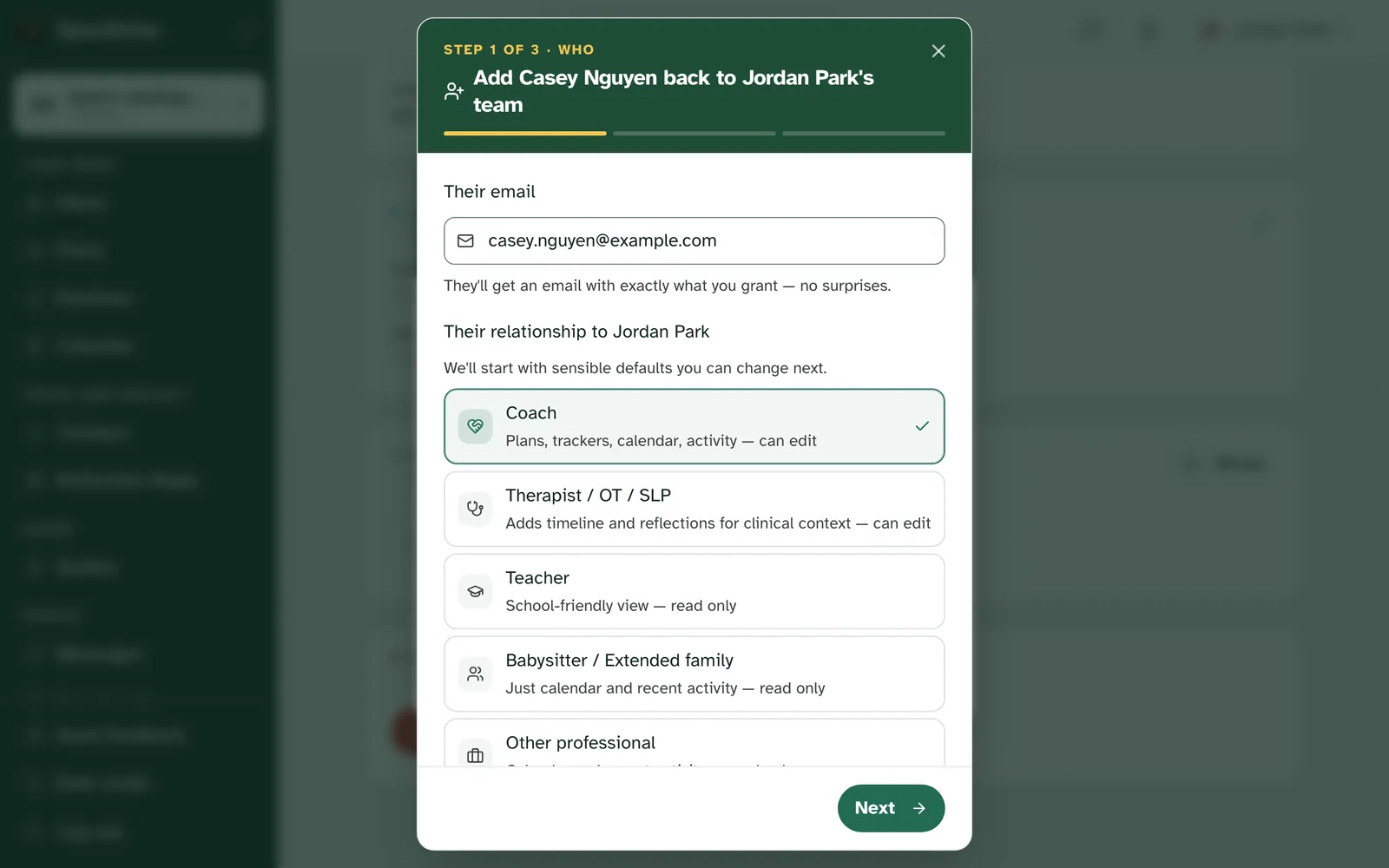
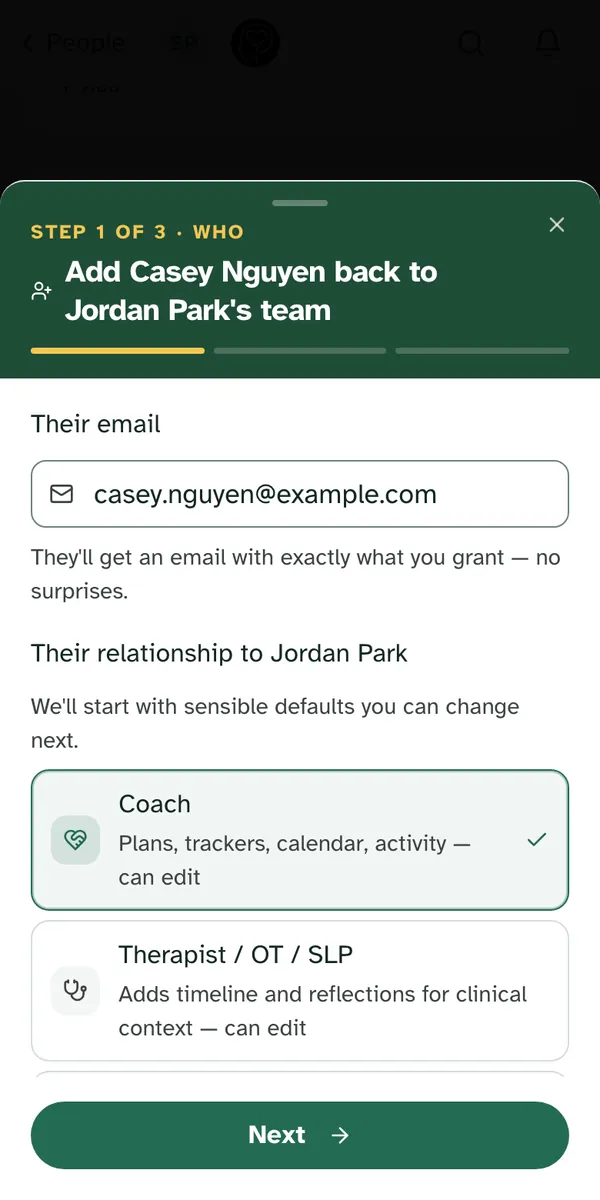
Add back sends them a fresh invite. Add back opens the invite window headed "Add <name> back to <profile>'s team". Their email is filled in, and the areas they could see last time are ticked again, except documents, which you always choose yourself. Change anything you like, then send it. The note says "Invite sent to <name>" and "They'll show as waiting until they accept." They show as waiting on your team until they accept, and they're no longer under Worked with before.
A teenager running their own account sees the list but not Add back. Under 18, inviting people is for a parent or guardian, so the rows show with no button.
More than one coach
You can work with more than one coach at the same time. Each coach has their own engagement with you. When a second coach invites you and you accept, the first coach's engagement stays exactly as it was. Nothing is replaced.
Each coach ends only their own engagement. If one coach ends their work with you, the other coach's engagement carries on, untouched. One coach leaving never takes another away.
Your My access page can't end a coach's work by mistake. Settings → My access lists the profiles you can see and how you got access to each. A coach's engagement with you isn't one of the things listed there, so there is no Leave button on it that you could press by accident.
Booking sessions
If your coach takes bookings, you can pick a time yourself. See Book, move or cancel a session with your coach.
Documents are always explicit
Document access is never granted by default. Even a professional with broad access to a profile sees no documents until you explicitly grant the documents area. This keeps evaluations, reports, and letters under your direct control.
Family versus professional, side by side
| Aspect | Family caregiver | Professional |
|---|---|---|
| Invited from | Family settings (/settings/family) | The specific profile |
| Joins | The whole workspace | One profile |
| Sees | Every profile in the workspace | Only the granted areas of one profile |
| Typical people | Co-parent, grandparent, long-term sitter | Coach, therapist, BCBA, school specialist |
If you are setting up the family side, see Setting up your family workspace.
Still have a question?
If this guide did not cover your situation, reach out. We read every message.