
Read the meeting summaries a teen shares with you
For parents and guardians of a teen who meets with a coach or another professional in Specthrive. Ask to see their meeting summaries, read the ones they share, and know what stays private.
When a teen meets with a coach or another professional in Specthrive, the professional can send them a short summary afterwards: what they agreed, how last time's work went and what they talked about. Those summaries belong to the teen. If you're their parent or guardian on file, you can ask to see them, and the teen decides whether to share. In this guide the guardian is Nadia, the teen is Arlo and his coach is Imani.
1. Your Home
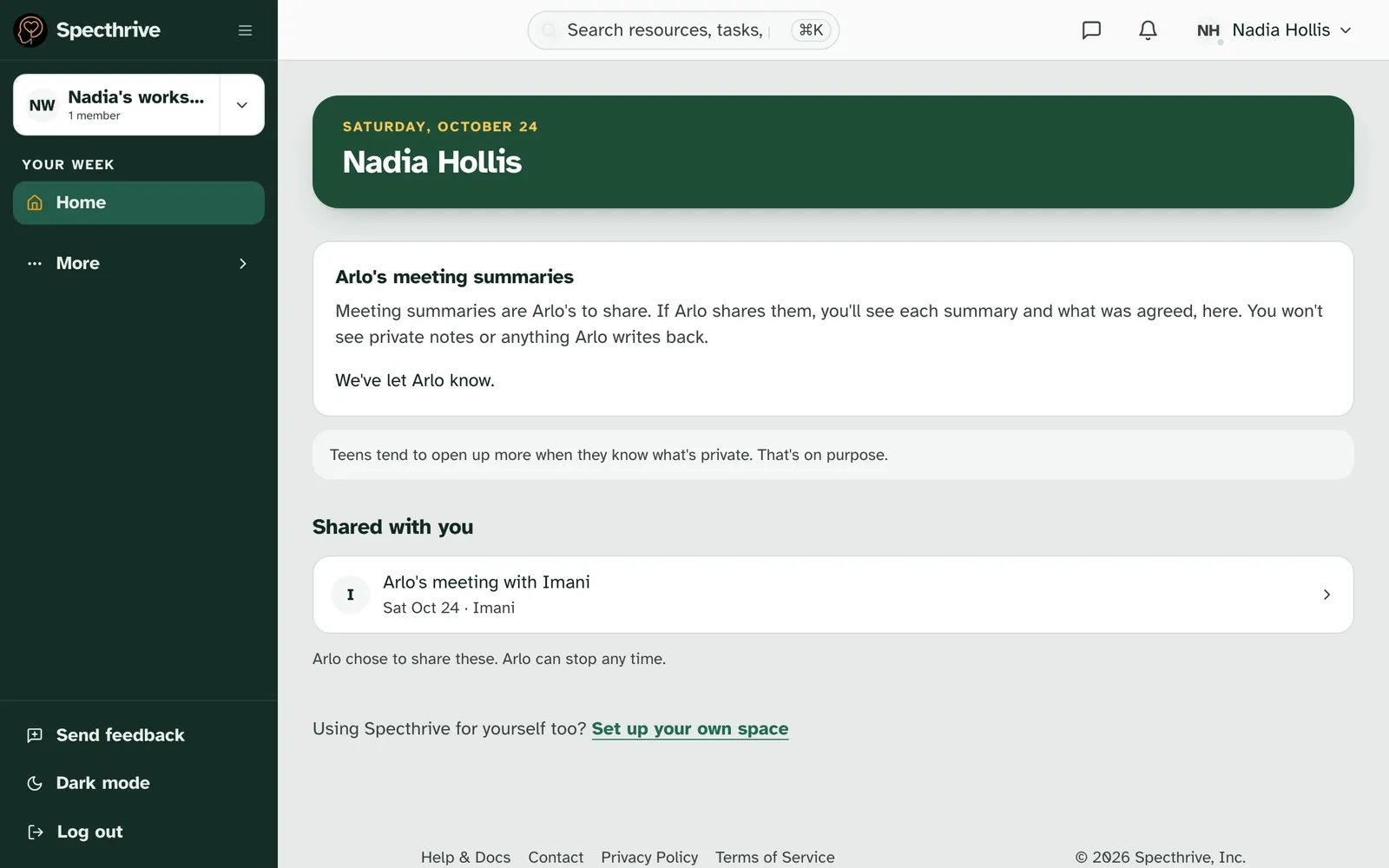
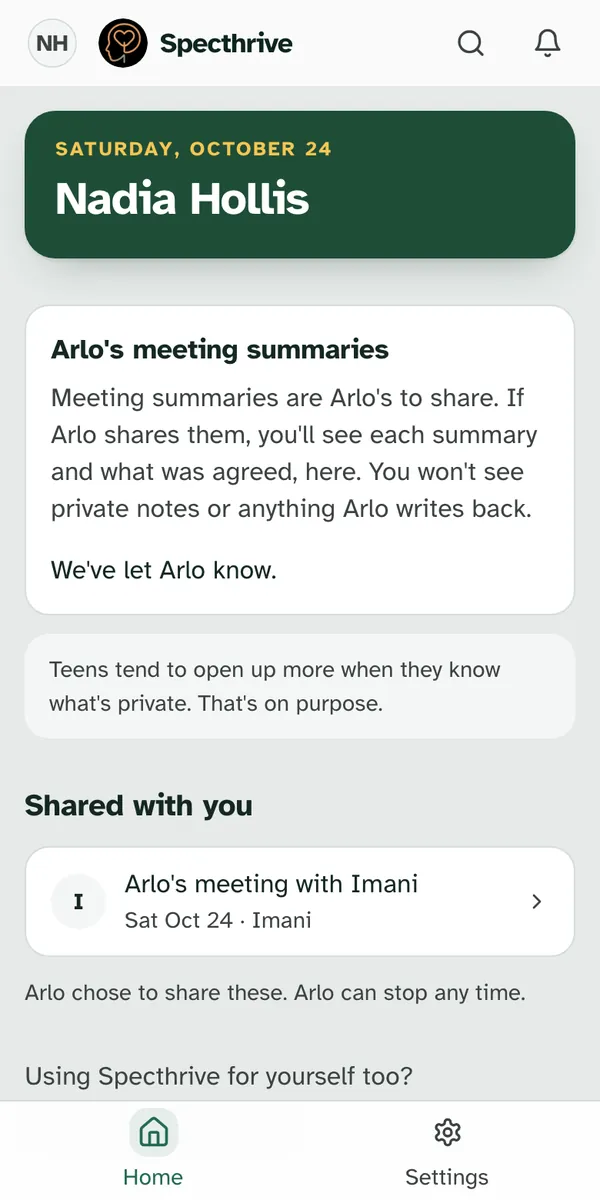
Home shows a calm card for each teen. The card is called "Arlo's meeting summaries" and reads "Meeting summaries are Arlo's to share. If Arlo shares them, you'll see each summary and what was agreed, here. You won't see private notes or anything Arlo writes back."
Under it, a short note says why. "Teens tend to open up more when they know what's private. That's on purpose."
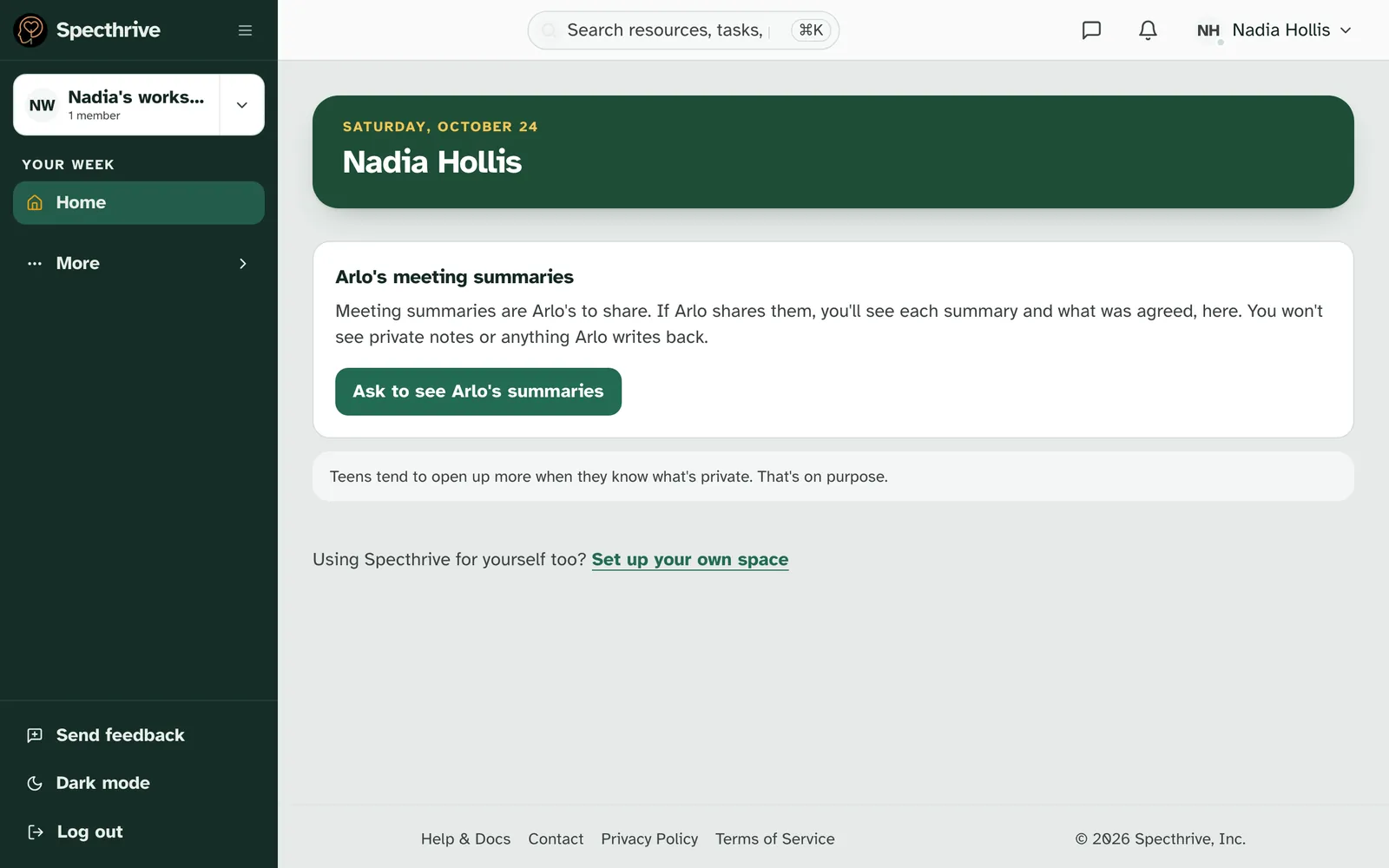
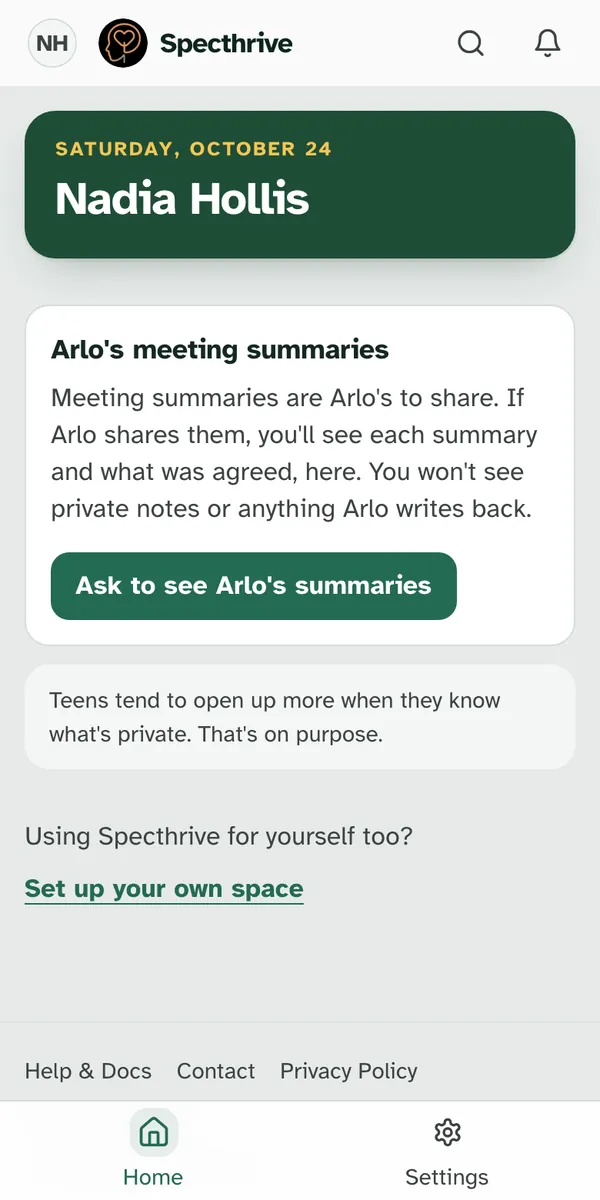
If you're here only to read what a teen shares, Home shows just this section, and the menu is short: Home and Settings on a phone. At the bottom, "Using Specthrive for yourself too?" has a Set up your own space link for when you want more.
2. Ask to see the summaries
Press Ask to see Arlo's summaries. The card then says "We've let Arlo know." Arlo sees your request on Home, with what you would see and what you never see, and chooses Share them or Not now.
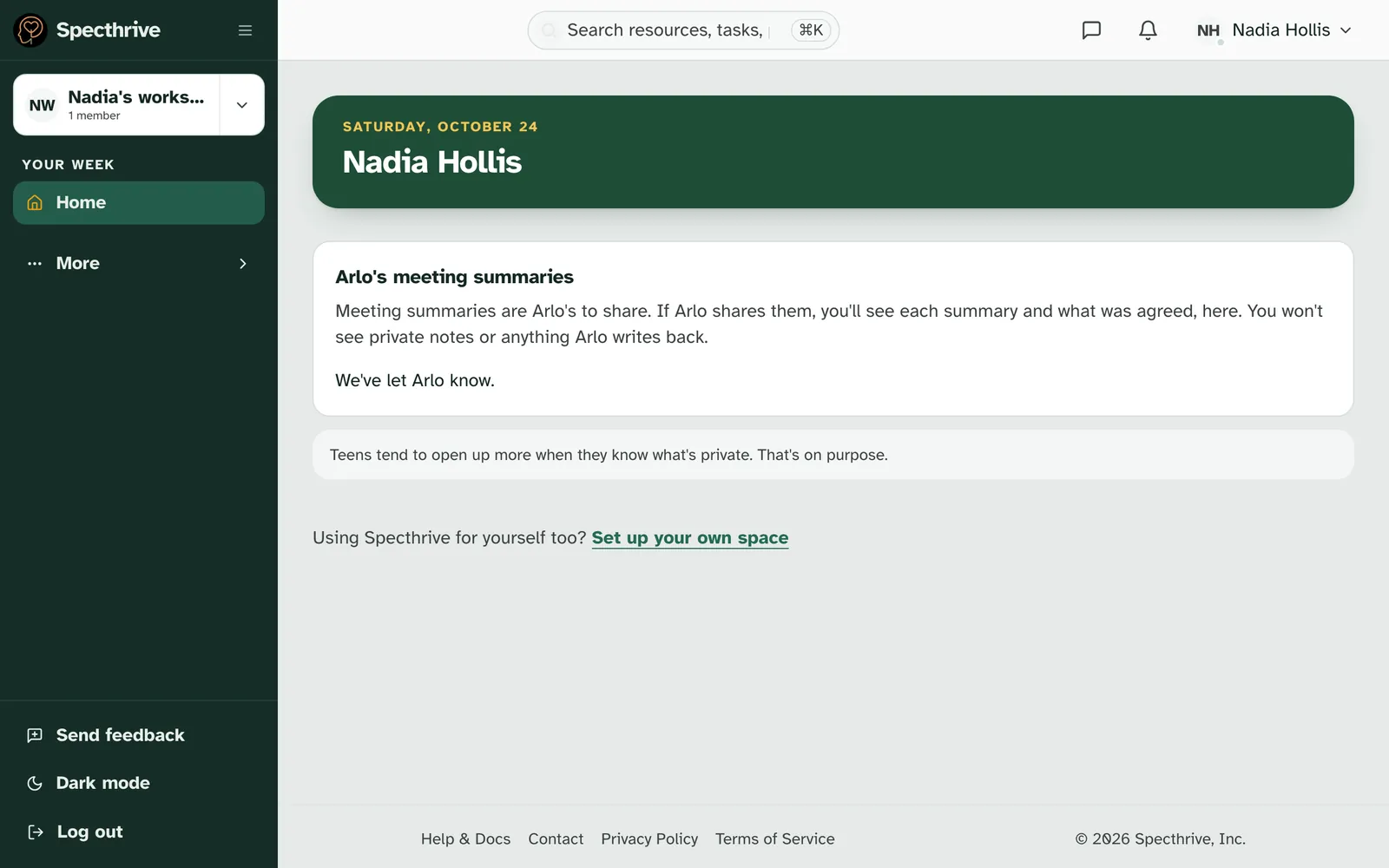
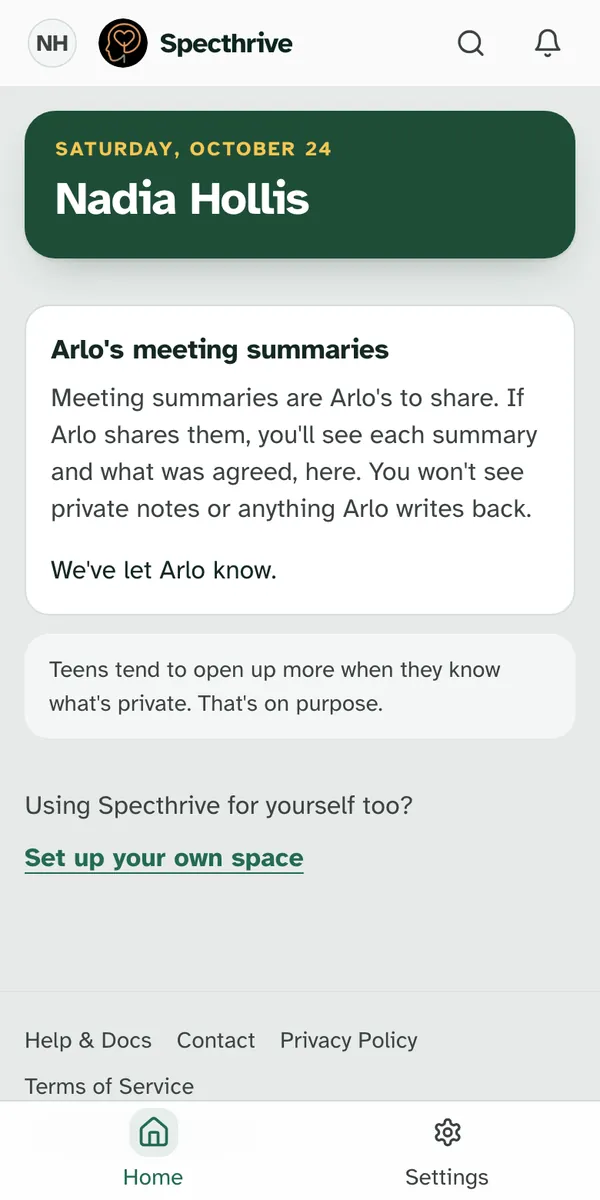
Asking is gentle on purpose. You aren't told if the teen picks Not now. You can ask again 30 days after you last asked.
The teen can also share without being asked, from their own settings, and can stop at any time.
3. Shared with you
Once the teen shares, summaries appear under "Shared with you". Each row reads "Arlo's meeting with Imani", with the day and who wrote it, such as "Sat Oct 24 · Imani". Below the list: "Arlo chose to share these. Arlo can stop any time."
Sharing covers the summaries sent from then on. If the teen stops sharing, you stop seeing them at once. If they share again later, new summaries come to you, and the earlier ones stay closed.
If the professional takes a summary back, its row says "This summary was taken back." and no longer opens.
4. Read a summary
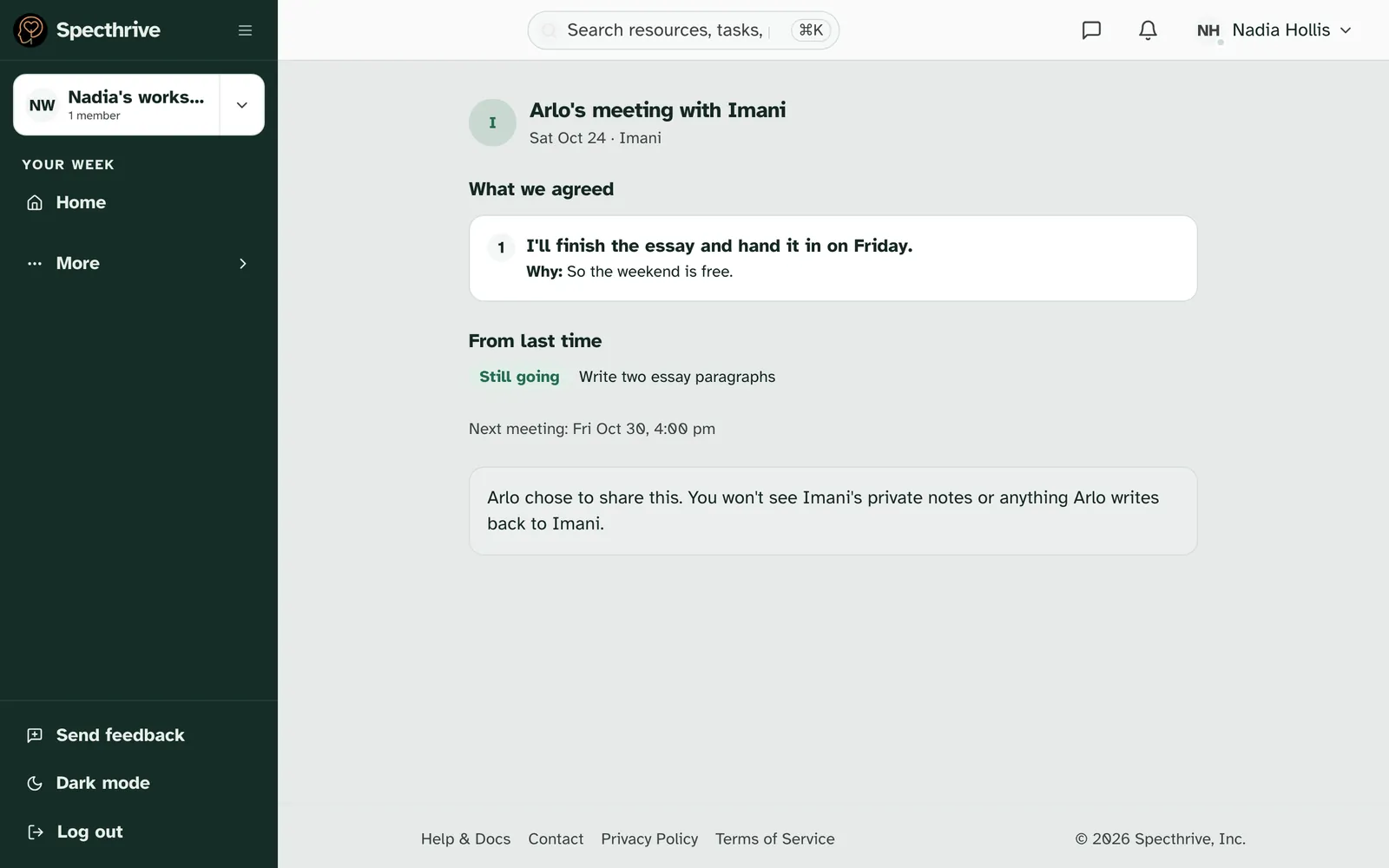
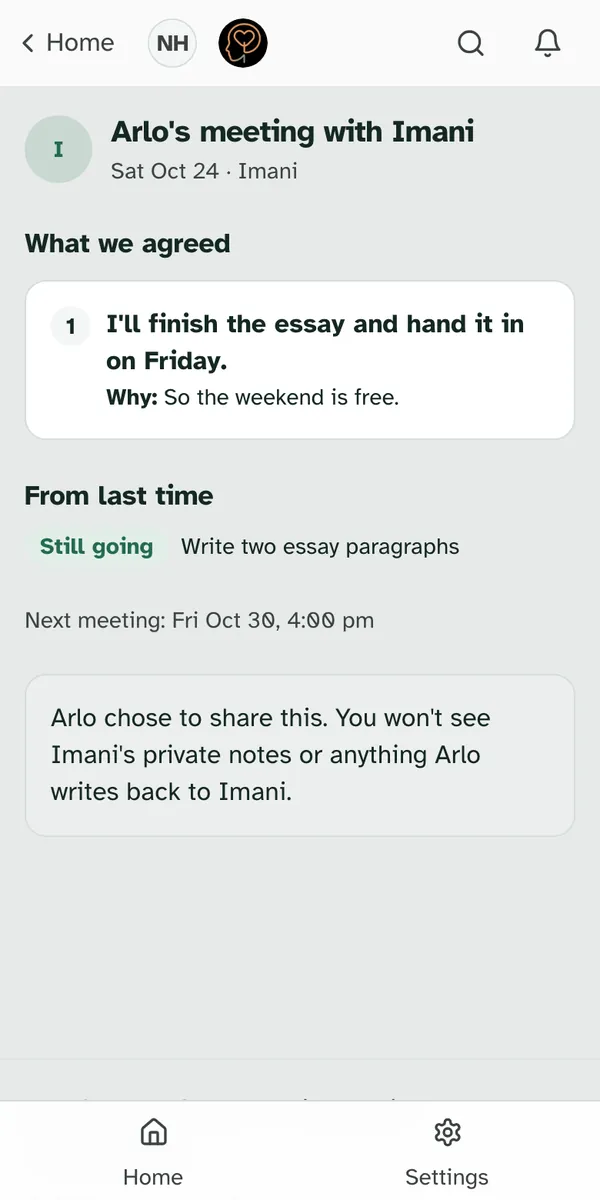
Choose a row to open it. The summary shows "What we agreed", with each agreement and its Why, "From last time" with how last time's work went, and the next meeting if one is booked. If there's a "What we talked about" part, press it to open it. An updated summary says "Updated" and the day under its title.
The teen sees when you've opened it. Their copy of the summary says "Shared with Nadia · opened" and the day.
Summaries from a group meeting are shared the same way. If the teen meets with a group, the row reads "Arlo's Essay group meeting", with the day and the first names of the group's leads. You see what the group agreed and what they talked about, and any line written just for the teen, under "Just for Arlo". You never see who else was in the group, or anything written for someone else.
5. What you never see
Some things stay between the teen and the professional. The summary ends with "Arlo chose to share this. You won't see Imani's private notes or anything Arlo writes back to Imani."
| You see | You never see |
|---|---|
| Each summary the teen shares, from when they share it | The professional's private notes |
| What they agreed, and why | The teen's replies and their Got it |
| How last time's work went | Summaries sent while sharing was off |
If a summary can't be shown, for example because the teen stopped sharing, the page says "This summary isn't available anymore."
6. Emails we send
At most one short email a week for each teen.
| When | Subject | What it says |
|---|---|---|
| A teen shares a new summary with you | A meeting summary was shared with you | "A meeting summary was shared with you on Specthrive. Sign in to read it." and a Sign in button |
The email never names the teen, the professional or what was said. You sign in to read the summary. To stop them, open the bell, then the notification settings, and clear Email on the Notes sent to you row.
Getting help
Tell us if something looks off. If you expected a section on your Home and don't see it, check that you signed in with the email address the teen has on file for you. If it still isn't there, get in touch and tell us roughly when you expected it. There's no need to share what any summary says.
Teens can read Read your meeting summaries to see how sharing works on their side.
Still have a question?
If this guide did not cover your situation, reach out. We read every message.