
Find your check-ins in Meetings
For coaches who used check-ins on a screening case. Where your notes for a client live now, what happened to the check-ins you already wrote, and what your client sees.
Notes for a client now live in Meetings, the same place you write every other meeting. The check-ins you wrote on a screening case before are still there, and each one is also copied into Meetings, so all of a client's meetings sit in one list. In this guide the coach is Morgan and the student is Avery.
How to write notes and send a summary is in Take meeting notes and send a summary. This page covers what changed for check-ins.
1. Who sees the change
It shows once you can take meeting notes for that client. That's when your account is a verified professional's, the client is active, and they share their plans with you. For a client where Meetings can't open yet, check-ins work as before, on the case.
Someone reading the case for you keeps check-ins. A reviewer still reads and writes check-ins on the case.
2. On the screening case
Check-ins on the case now point to Meetings. Under "Check-ins", a card reads "Check-ins have moved. Notes for this client now live in Meetings." Open Avery's meetings takes you to Avery's meetings on their client page. Start notes opens a new meeting for Avery, linked to this case. Start notes shows while the case is open.
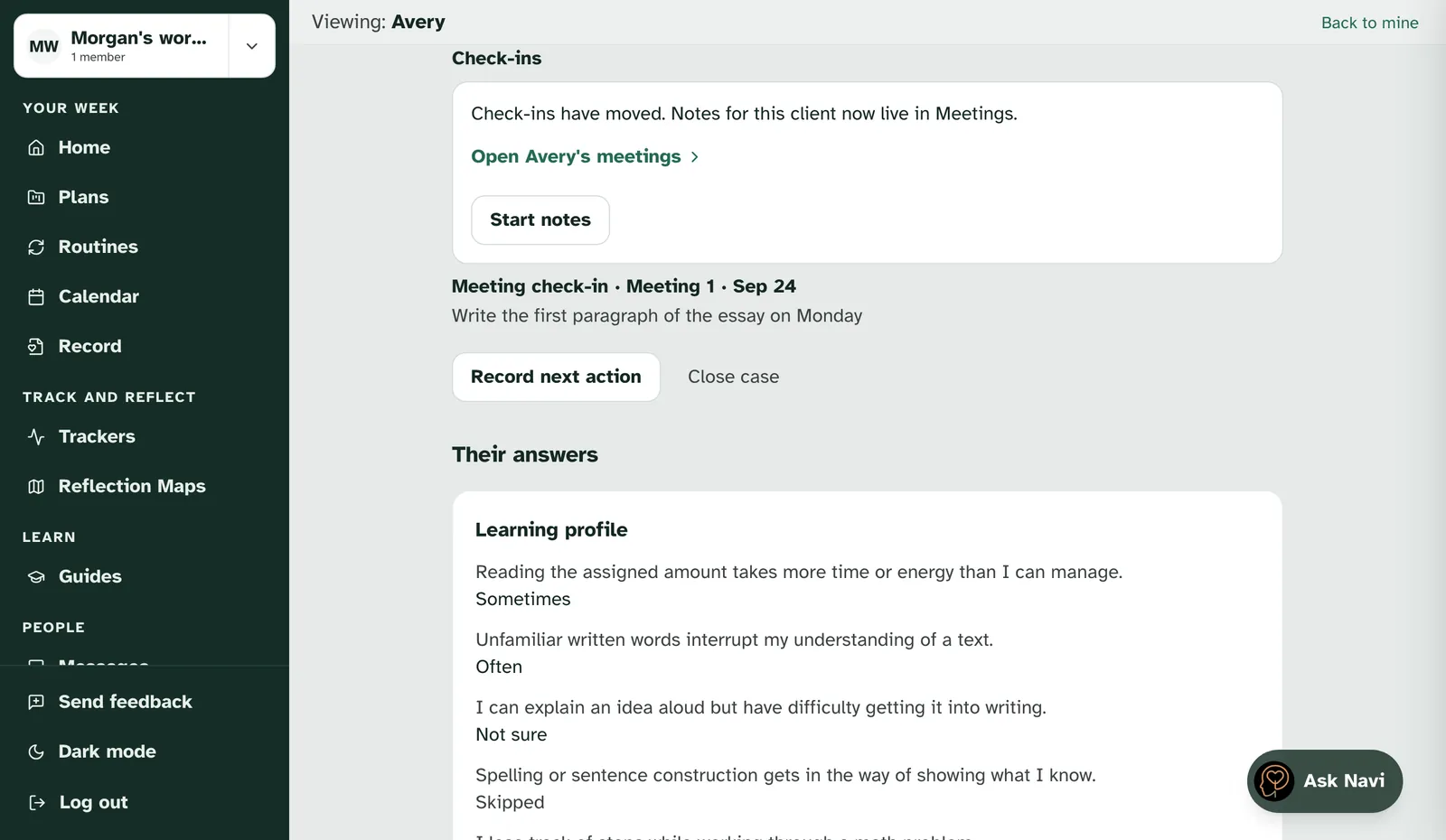
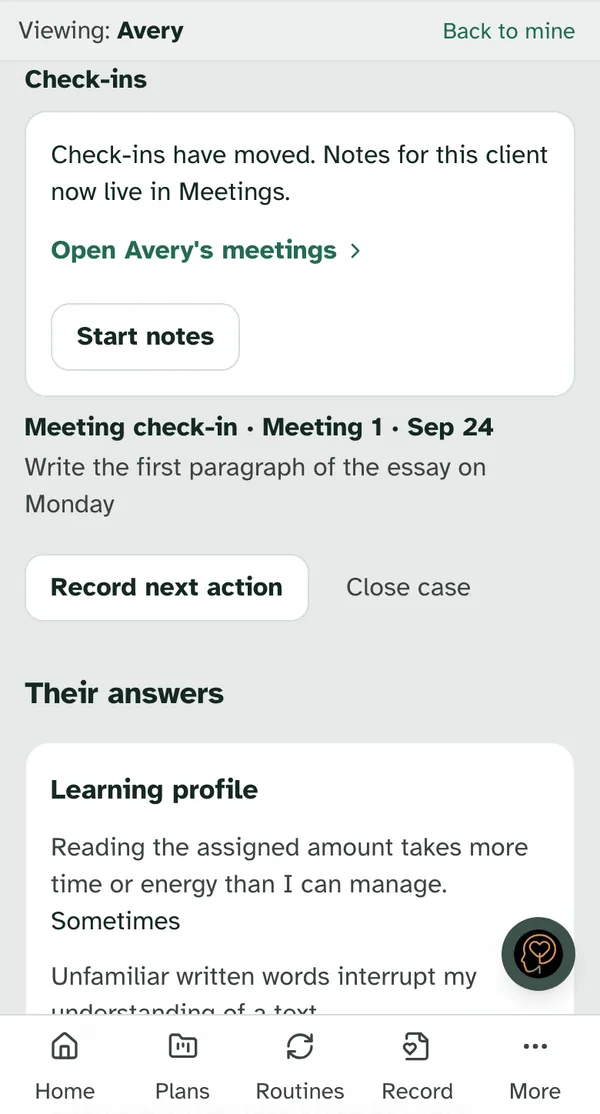
Your earlier check-ins are still listed below the card. Nothing was deleted. Whoever could read a check-in before can still read it on the case.
Notes you start from the case can answer its follow-up. When you send a meeting you started from a screening case, you choose the follow-up the case needs, just above Send. Your client doesn't see that choice. See Take meeting notes and send a summary.
3. Your check-ins in Meetings
Each check-in you wrote is now a meeting too. It shows in the client's meetings on the day you met, marked "From a check-in". Its fields become numbered lines in your notes, such as "What felt difficult" or "One example", and the notes start with "Copied from a check-in. Whoever could read the check-in can still read it on the case."
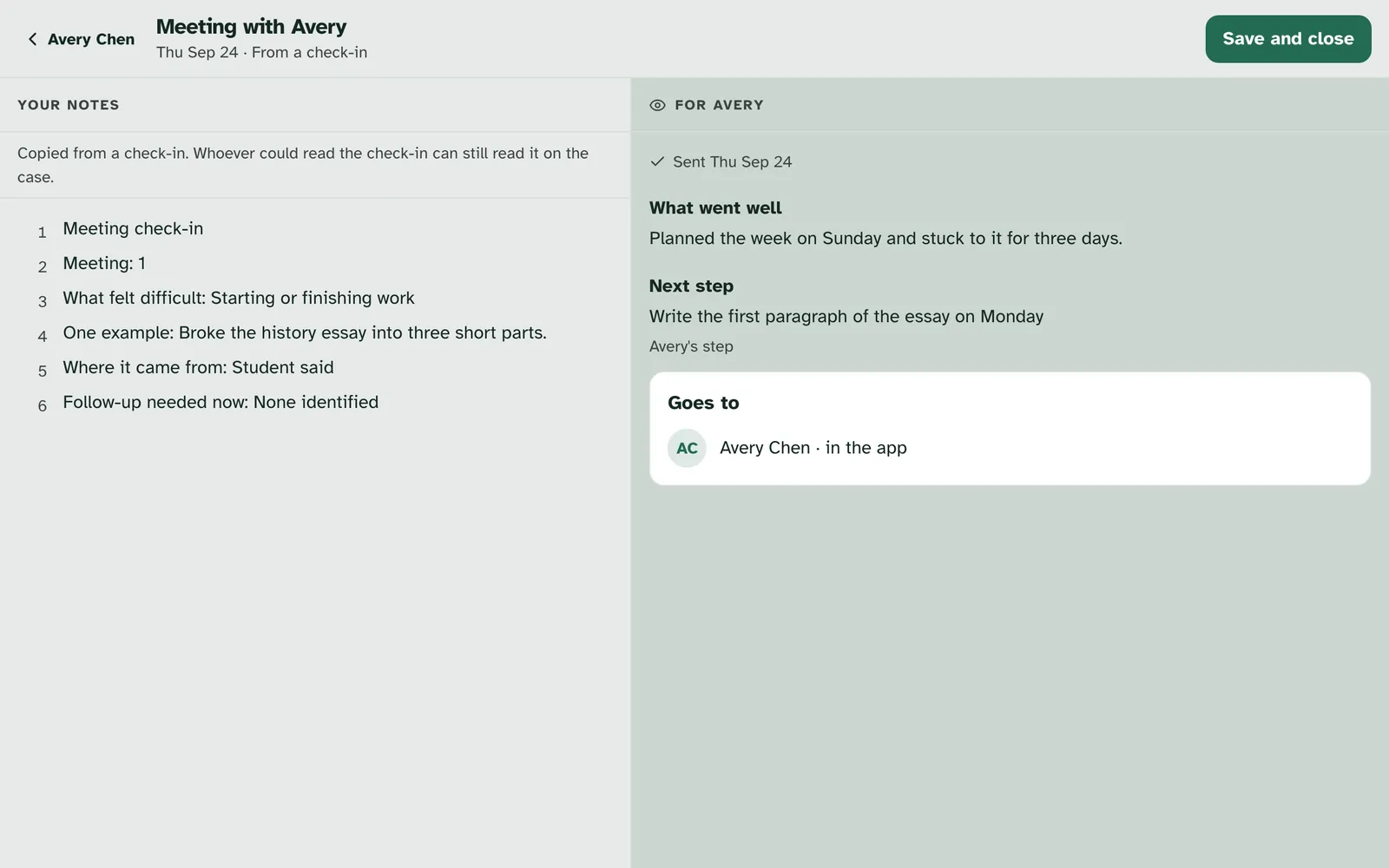
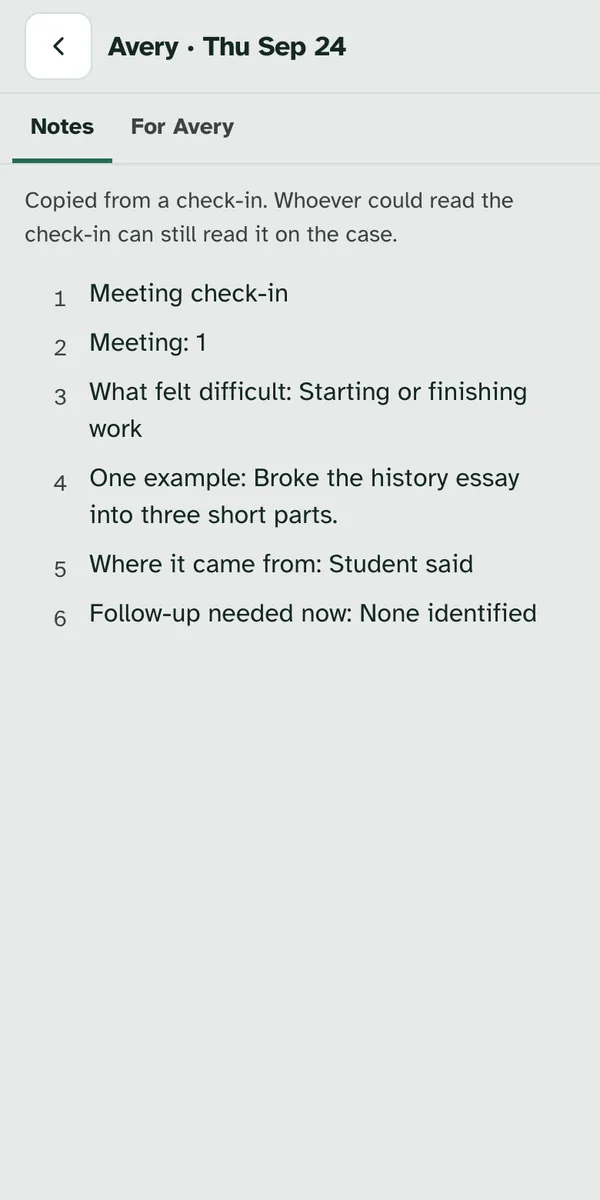
A copy is read-only. It's already marked as sent, so you can read it but not change it, take it back or ask Navi about it. To add something new, start a new meeting.
A copy tells no one. Copying a check-in sends no notification, no email and no card on anyone's Home.
Strengths check-ins come across too. Their fields, such as "What you noticed" and "What the student chose", become lines in your notes. A strengths check-in had nothing for the client, so its copy is notes only and your client doesn't get it.
4. What your client sees
Your client sees a copy only if they could see the check-in. If a meeting check-in was shared with them, their copy shows in their Meetings marked "From a check-in", with "What went well", the "Next step" and whose step it is, such as "Your step" or "A step for both of you". The next step is words only, with no task attached.
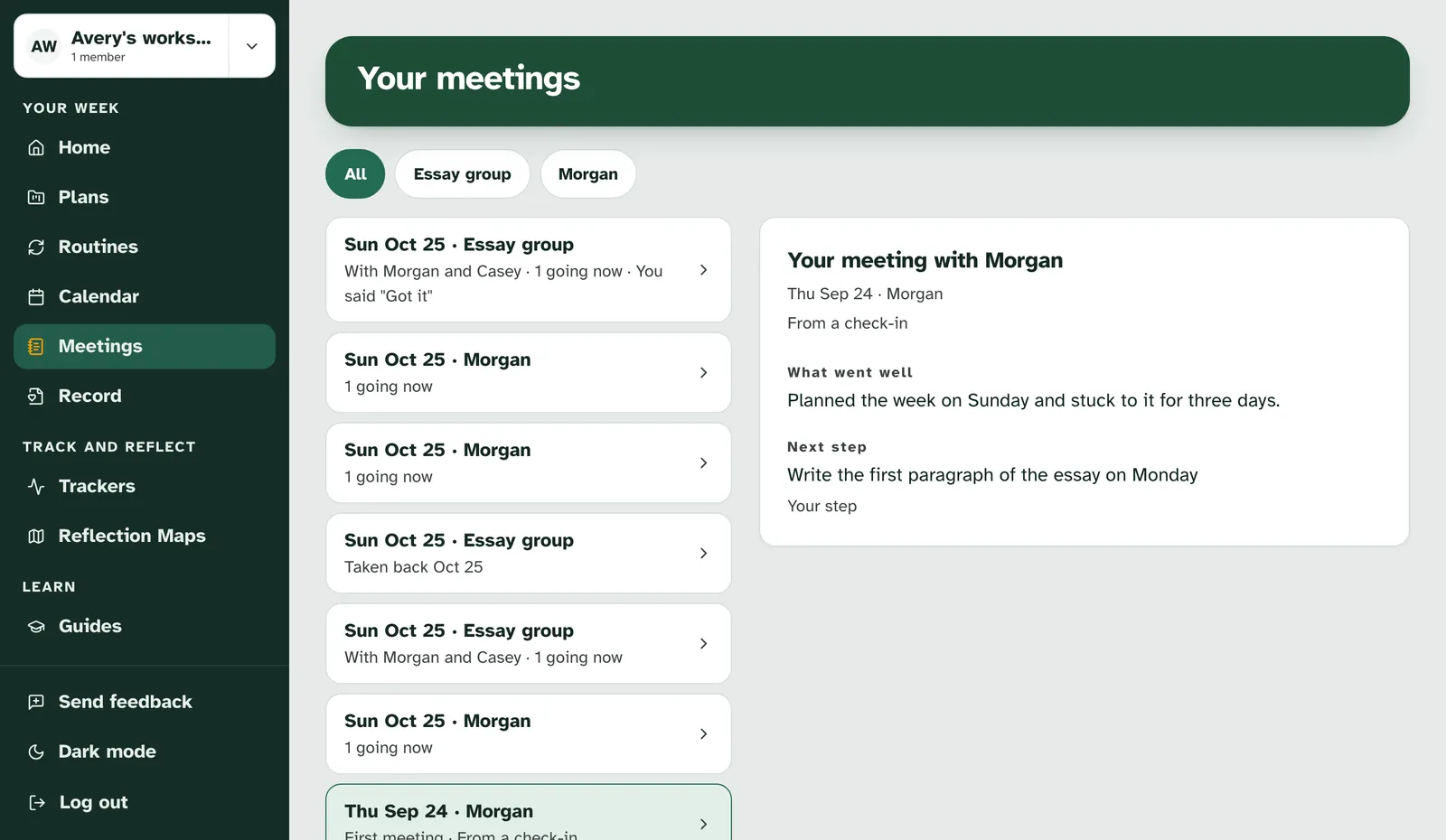
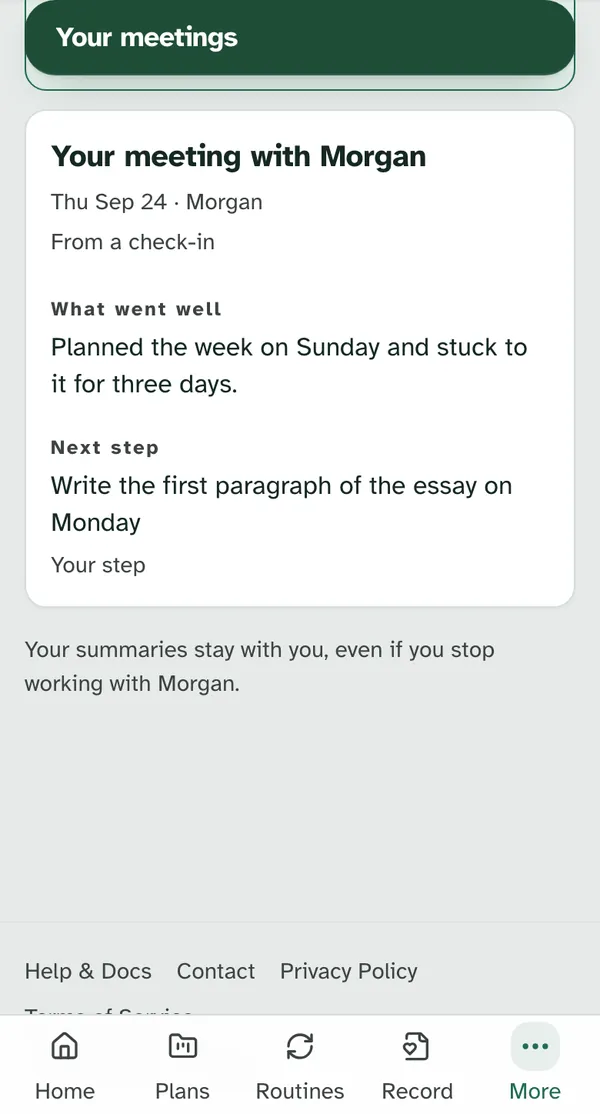
If nothing was shared, nothing changes for them. The copy is in your list only, and its For Avery side says "Nothing went to Avery from this check-in." A parent or guardian a teen shares summaries with doesn't get copies of check-ins.
5. Things that stay the same
| What | Where it is now |
|---|---|
| The check-ins you wrote | Still on the case, and copied into Meetings |
| The reviewer's check-ins | On the case, as before |
| The case's closing summary | Still drafted from the check-ins on the case |
| Clients where Meetings can't open yet | Check-ins on the case, as before |
Getting help
If a check-in you expected isn't in Meetings, or something on this page doesn't match what you see, contact us and we'll help. Tell us which client page you were on and roughly when. There's no need to share what the notes say.
Still have a question?
If this guide did not cover your situation, reach out. We read every message.