Get reminders for things on your calendar
For anyone who uses the calendar. Set reminders on an event, see what arrives and when, and turn them off.
Your calendar holds appointments, therapy sessions, school events and deadlines. A reminder gives you a nudge before something starts, so you don't have to carry it in your head.
1. Set reminders on an event
New events come with two reminders. Choose Add Event on your calendar. The window opens with reminders already on, at 15 minutes before and 1 day before. Open Reminders to change them. Under Notify me: tick as many as you like, from At time of event to 1 week before, or choose Clear all. Then choose Create.
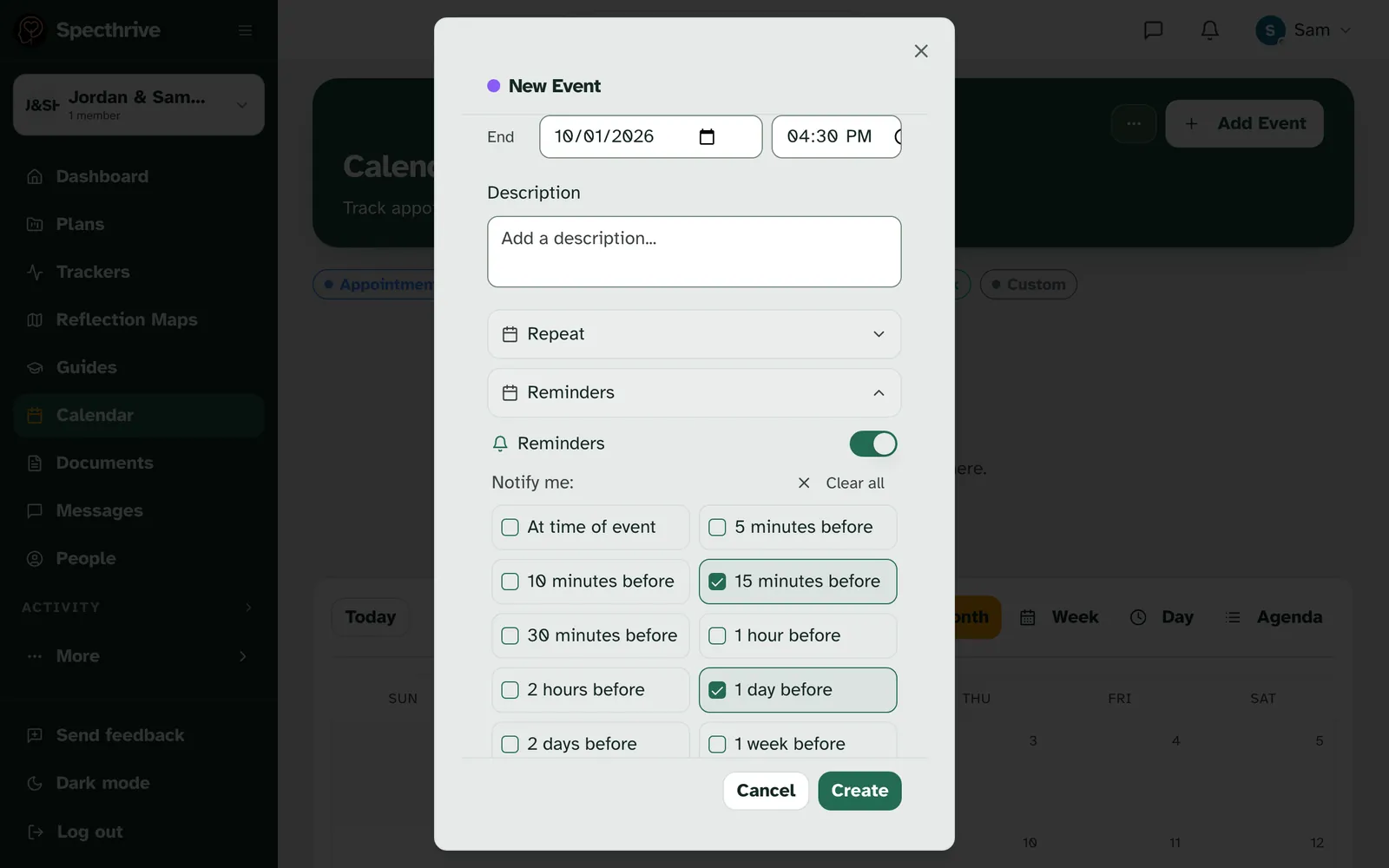
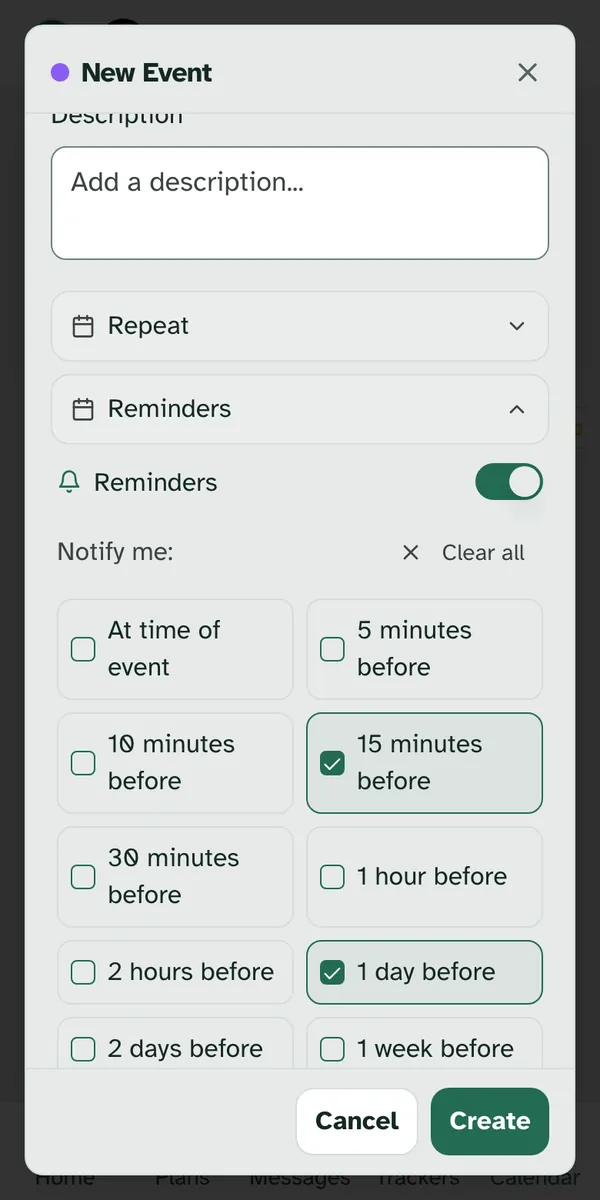
You can change them on any event. Open the event, choose Edit, and open Reminders. If it says No reminders set, tick the ones you want and choose Update. The switch next to Reminders turns them off for that one event.
Plan tasks work differently. A task from a plan opens in the task panel when you tap it on your calendar, and the task panel has no reminder settings. Reminders here are for the events you add, goal deadlines, and events you import.
2. What arrives, and when
Reminders go to the person who added the event. Nobody else who can see the calendar gets them, and that stays true when someone else edits the event or its reminders. For a goal's deadline, it is whoever first gave the goal its deadline, even if someone else changes the date later. If that person no longer has access to the calendar, the reminder isn't sent.
On your iPhone, or by email. If you use Specthrive on your iPhone with notifications on, the reminder arrives there and reads "You have something coming up on your calendar". Tapping it opens your calendar. If it can't reach your phone, we send one short email instead:
| Part | What it says |
|---|---|
| Subject | You have something coming up |
| Heading | Something on your calendar is coming up |
| Text | Open your calendar to see the details. |
| Button | Open calendar |
Neither one says what the event is. No title, time, place or name appears in the notification or the email, so a reminder on a lock screen or in a shared inbox gives nothing away. The details stay in your calendar.
A reminder can come a little early, never late. Reminders go out every 15 minutes, so one can arrive up to 15 minutes before the time you picked. None arrives after the event has started.
Moving an event moves its reminders. Change the start time and the reminders follow the new time, even if one already went out for the old time.
A repeating event reminds you on its first date. For now, reminders go out for the date the event starts, not each time it repeats.
3. Goal deadlines and imported events
A goal's deadline shows on your calendar. When you give a goal a deadline, it appears on your calendar as an all-day event, and it moves if you change the date. It starts with no reminders. Open it, choose Edit, and add the ones you want.
Imported events arrive without reminders. Events you bring in with Import in your calendar's … menu, from an iCal file (.ics), land on your calendar with no reminders. Add them to the ones that matter.
4. Turn reminders off
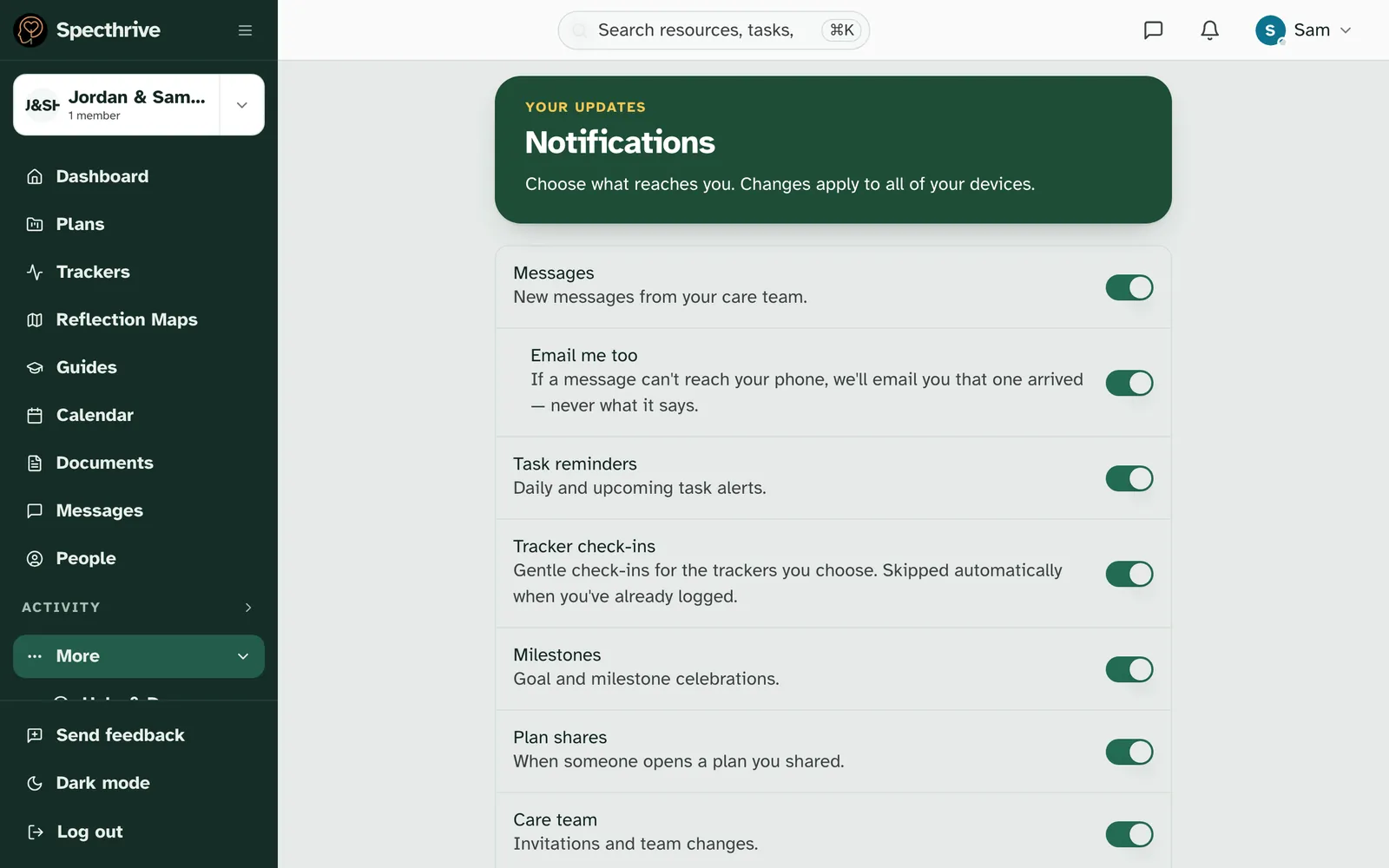
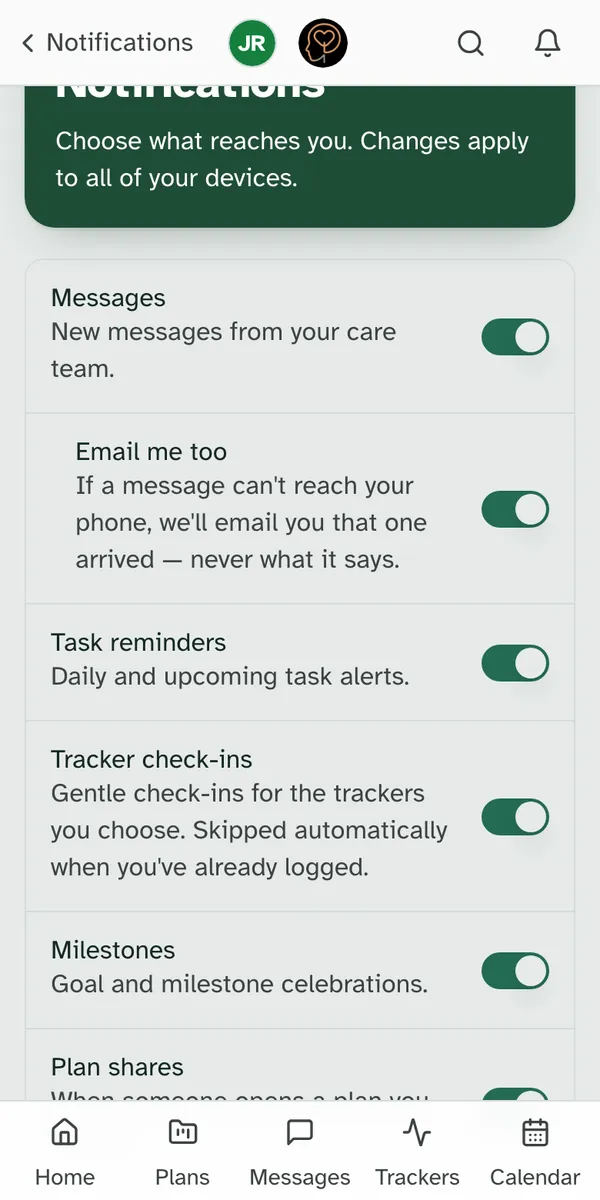
One switch covers every calendar reminder. Open Notifications and choose the settings button at the top of the page (Notification settings). Task reminders ("Daily and upcoming task alerts.") also covers calendar reminders. Turn it off and no calendar reminder is sent, to your phone or by email. To quiet a single event instead, turn off Reminders in that event's window.
Getting help
If a reminder didn't arrive when you expected, or something here does not match what you see on your screen, get in touch.
Still have a question?
If this guide did not cover your situation, reach out. We read every message.